Linux: Unleashing the Power of Open-Source Computing.
What is Linux?
Linux is a free and open-source operating system based on a Unix-like kernel. It was first released on September 17, 1991, by Linus Torvalds as a side project, and since then it has grown to become a popular choice for users and developers.
History
Linux is an open-source computer operating system, initially developed on and for Intel x86-based personal computers. It has been subsequently ported to an astoundingly long list of other hardware platforms, from tiny embedded appliances to the world's largest supercomputers.
The Linux distributions created in the mid-90s provided the basis for fully free (in the sense of freedom, not zero cost) computing and became a driving force in the open-source software movement. In 1998, major companies like IBM and Oracle announced their support for the Linux platform and began major development efforts as well.
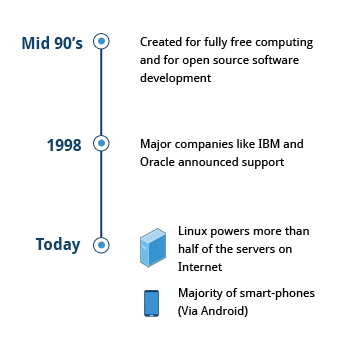
Today, Linux runs more than 50% of the servers on the Internet, most smartphones (thanks to the Android operating system, which is based on Linux), more than 90% of the workload in public clouds, and all of the most powerful supercomputers in existence.
Linux philosophy
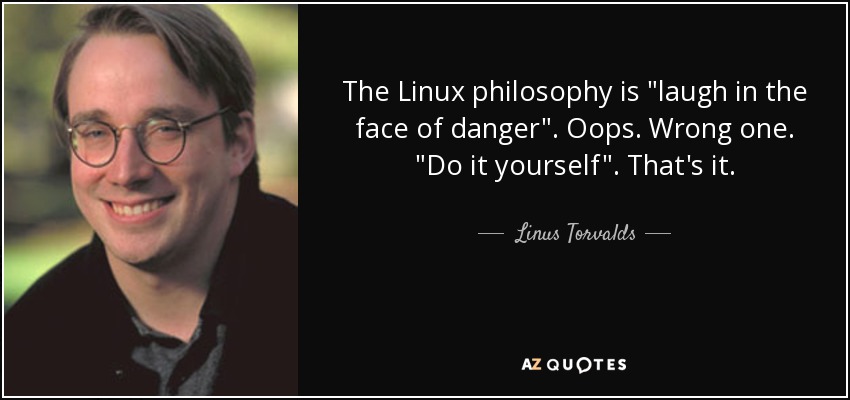
With Linus Torvalds at the helm, a global network of developers works together via the Internet to continuously improve and maintain Linux. The only requirements for participation are technical ability, a desire to contribute, and the capacity for teamwork.
It was created as a free and open-source operating system to replace UNIX, which at the time was pricey and made for computers far more powerful than PCs. A hierarchical filesystem is used to store files, with the root, or just "/," serving as the top node.
Linux makes its components accessible through files or things that resemble files whenever practical. The same tools used for working with conventional files may frequently be used to interact with processes, devices, and network sockets because they are all represented by objects that resemble files. Linux is a fully multitasking operating system with support for many users and concurrent threads of execution. It also includes built-in networking and service processes known as daemons in the UNIX environment.
NOTE: Linux was inspired by UNIX, but it is not UNIX.
Linux community
The Linux community is a far-reaching ecosystem consisting of developers, system administrators, users and vendors who use many different forums to connect. Among the most popular are:
Internet Relay Chat (IRC) software (such as WeeChat, HexChat, Pidgin and XChat)
* Online communities and discussion boards including Linux User Groups (both local and online)
* Many collaborative projects hosted on services such as GitHub and GitLab
* Newsgroups and mailing lists, including the Linux Kernel Mailing List
* Community events, e.g. Hackathons, Install Fests, Open Source Summits and Embedded Linux Conferences.
A portal to one of the most powerful online user communities can be found at linux.com. This site is hosted by The Linux Foundation and serves over one million unique visitors every month. It has active sections on:
News
* Community discussion threads
* Free tutorials and user tips.
We will refer several times in this course to relevant articles or tutorials on this site.
Linux distributions
So, what is a Linux distribution and how does it relate to the Linux kernel?
The brain of the operating system is the Linux kernel. A complete Linux distribution includes the kernel in addition to several other software tools for managing users, software packages, and file-related processes. Each of these tools offers a component of a whole system. Typically, each tool is a distinct project with its developers trying to perfect that particular aspect of the system.
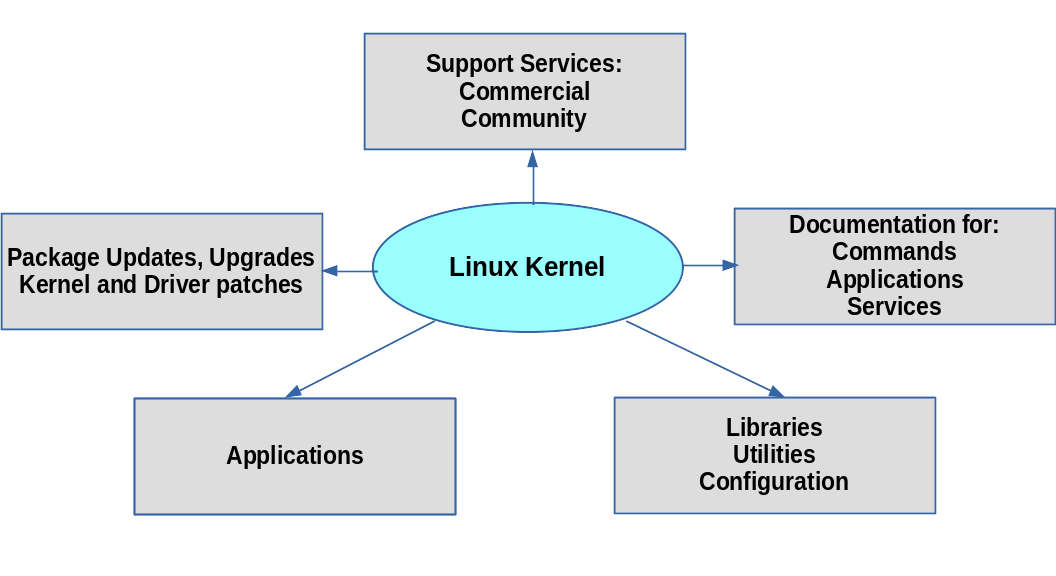
Some of the popular Linux distributions include
Ubuntu
Fedora
Debian
CentOS.
Basics of Linux command line
One of the most effective methods for dealing with the operating system under Linux is through the command line, sometimes referred to as the terminal or shell. These are some fundamentals of the Linux command line:
Opening Terminal: In most Linux systems, you may launch the terminal by pressing Ctrl+Alt+T. You can also look under "Terminal" in your application menu.
Command structure: Linux commands are structured as follows:
command [options] [arguments]
Getting help: The majority of Linux commands have an integrated help system. By typing the command then
--helpor-hyou can get to it.Listing files and directories: The
lscommand is used to list the files and directories in the current directory. You can add options such as-lto display more information, or-ato show hidden files.ls -l -aChanging directories: The
cdcommand is used to change directories. To move up one directory, typecd... To move to a specific directory, typecd directory_namecd /home/username/Documents/
Resources to getting started with Linux
There are many free resources available for learning Linux. Here are some options to get started:
edX: edX offers a variety of free online courses on Linux and open-source technologies. The Linux Foundation created a free and full Introduction course for Beginners. https://www.edx.org/course/introduction-to-linux
FreeCodeCamp: FreeCodeCamp offers a range of free coding tutorials, including a section on Linux. Full Linux Course https://www.freecodecamp.org/news/introduction-to-linux/
Ubuntu tutorials: Ubuntu is a popular Linux distribution, and its website offers a range of free tutorials on Linux. You can access their tutorials at https://tutorials.ubuntu.com/.
These are just some of the many free resources available for learning Linux. By using these resources, you can gain the knowledge and skills needed to work with Linux and open-source technologies.